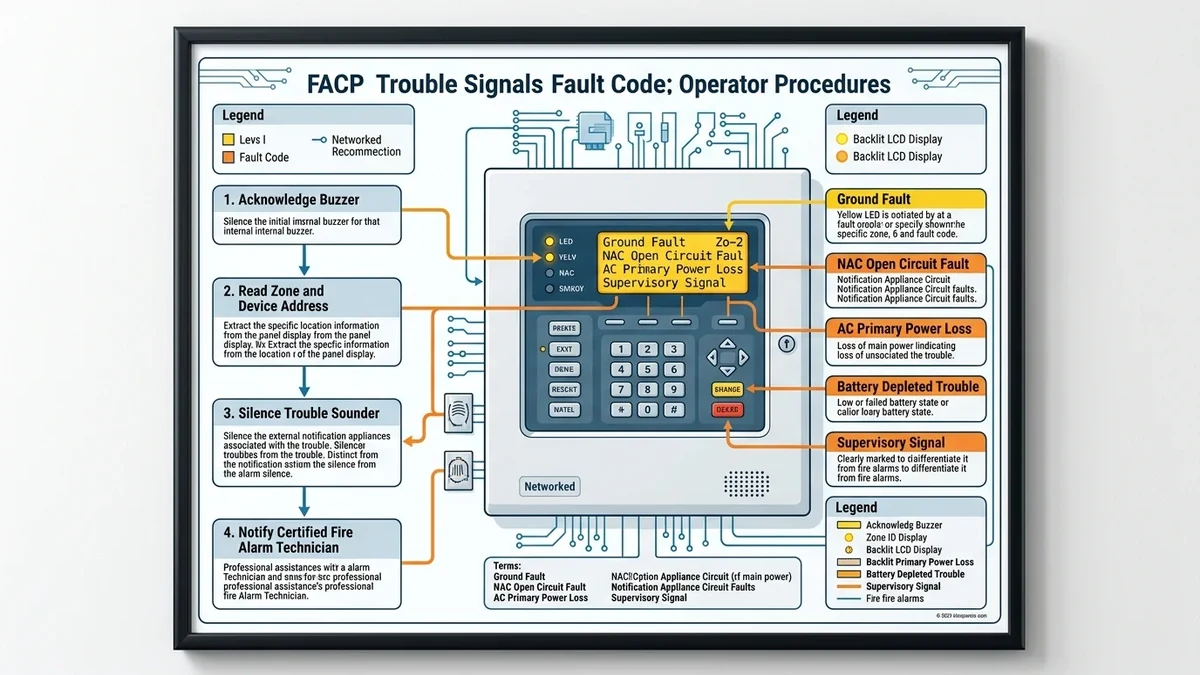
Commercial Fire Alarm Control Panels (FACPs) continuously supervise all field wiring, initiating devices, and power supplies for electrical faults, ensuring immediate notification when system integrity is compromised.
Common FACP Trouble Conditions & Diagnostic Meanings
| Trouble Message | Underlying Electrical Fault | Primary Causes |
|---|---|---|
| Ground Fault (Positive or Negative) | A field wire conductor has direct or high-resistance contact with grounded metal conduit | Moisture in exterior junction boxes, pinched wire during construction, scraped insulation |
| Open Circuit / Loop Fault (SLC) | Break in the Signaling Line Circuit loop preventing two-way data communication | Severed cable, loose terminal screw, missing end-of-line resistor on Class B circuits |
| Battery Trouble / Charger Fault | Standby sealed lead-acid batteries failed load test or charging circuit is out of spec | Batteries past 4-year service life, corroded lead terminals, blown battery inline fuse |
| AC Power Failure | Primary 120V/240V AC power disconnected; panel operating on emergency standby batteries | Tripped dedicated circuit breaker, building power outage, blown power supply fuse |
| Device Missing / Invalid Reply | Addressable detector failed to communicate with FACP within polling cycle | Removed detector head, dirty base contacts, duplicated device address switch |
How to Silence the Trouble Buzzer Safely
- Approach the FACP and observe the LCD display screen. Record the exact text, zone, and address displayed.
- Press the Acknowledge button. The panel will record that the operator has viewed the signal.
- Press the Silence Buzzer / Trouble Silence button. This turns off the audible annoyance buzzer.
- The yellow Trouble LED will remain illuminated until the underlying wiring or hardware fault is physically repaired.