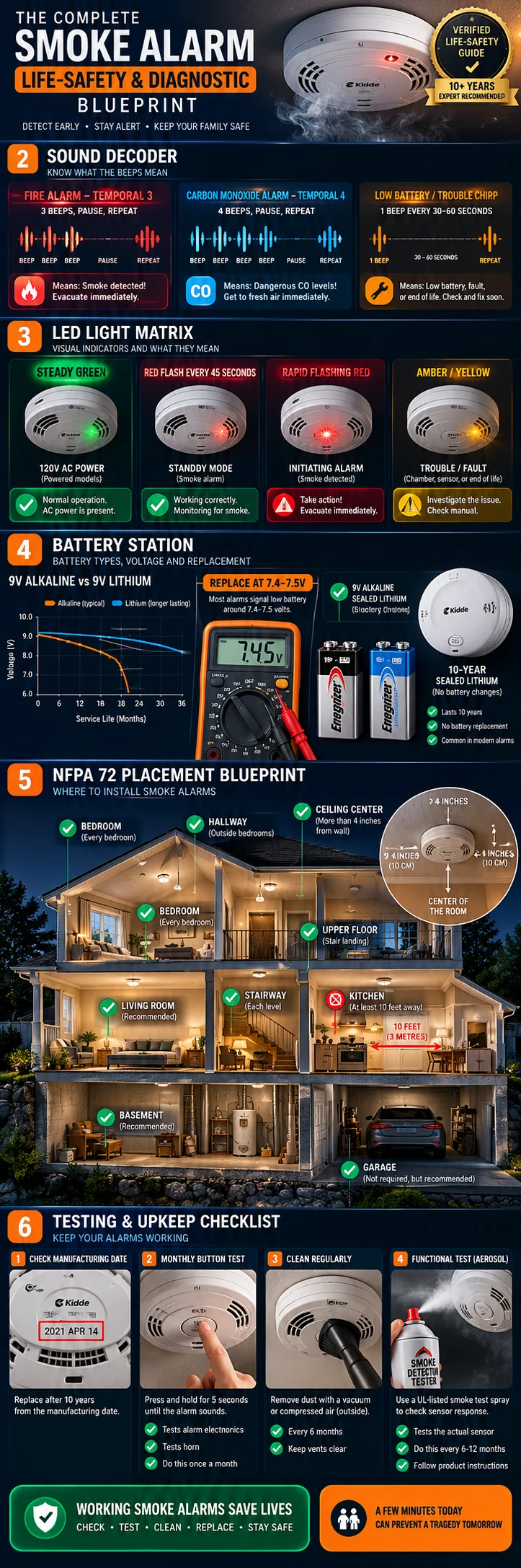
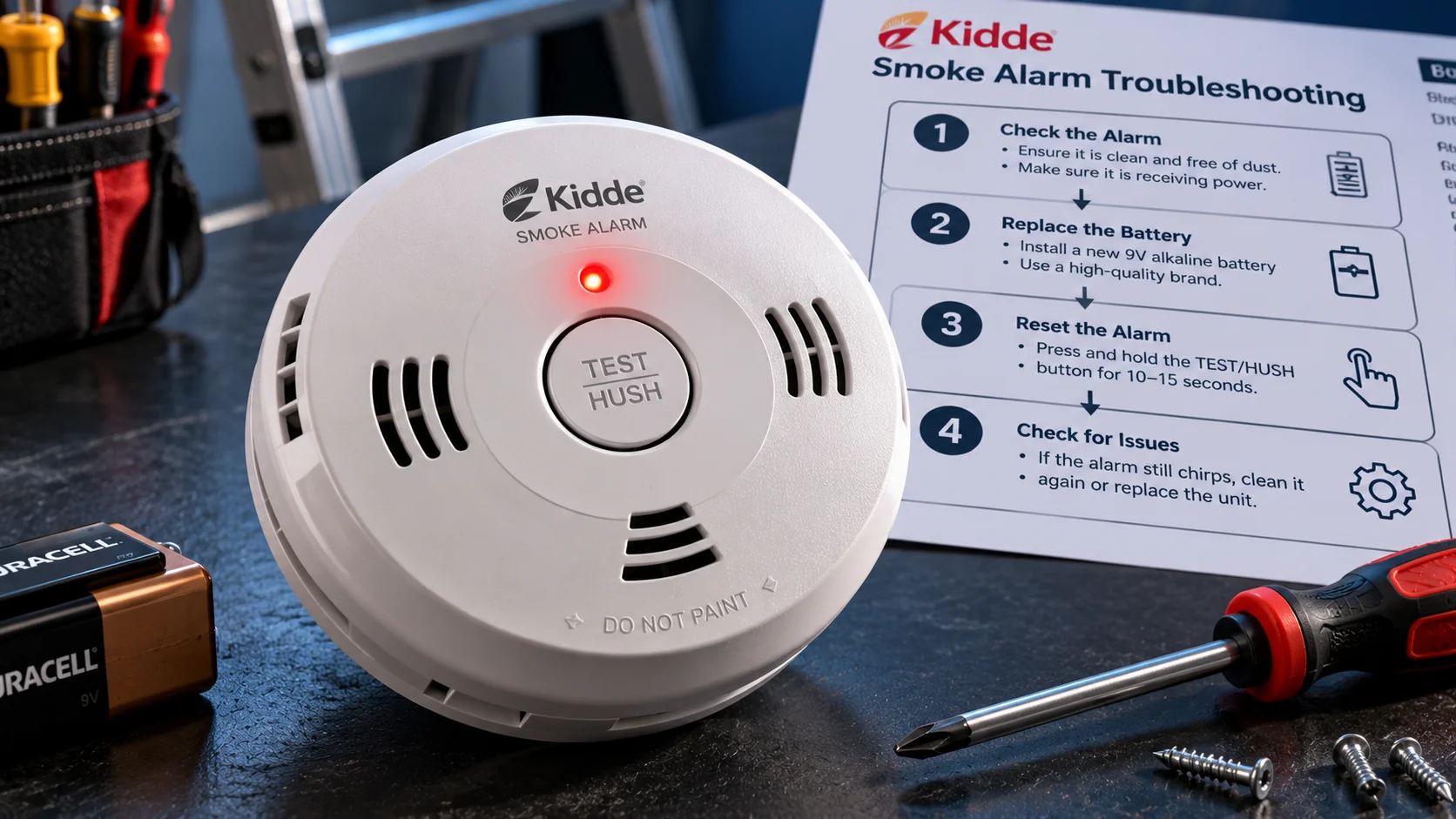
Kidde is one of the most widely deployed residential smoke alarm brands worldwide. While basic operation adheres to NFPA 72 and UL 217 standards, individual Kidde series (including i12040, i12060, P3010, Worry-Free, and TruSense) utilize distinct LED color diagnostics, capacitor discharge timings, and permanent deactivation mechanisms.
Kidde Fire Alarm and Carbon Monoxide Combination Troubleshooting
Combination Kidde fire alarm and carbon monoxide models (such as the KN-COSM series) use dual sensor arrays requiring specialized diagnostics. A Kidde smoke alarm chirping once every 30 seconds accompanied by a voiced "Low Battery" warning indicates dying cells, whereas a chirp every 30 seconds with an amber or red flash without voice indicates end-of-life chamber failure requiring immediate unit replacement.
Kidde Wiring Harness & Cross-Brand Adapter Pinout Specifications
When replacing legacy smoke alarms with modern Kidde units, Underwriters Laboratories UL-listed plug adapters allow direct retrofit without cutting electrical junction box conductors:
| Adapter Model Number | Source Legacy Harness | Target Kidde Alarm Models | Pinout Function & Wiring Notes |
|---|---|---|---|
| Kidde KA-F2 Adapter | Firex legacy rectangular plug (G-6, FADC, FX1218) | i12040, i12060, P12040, P4010 series | Converts Firex 3-pin rectangular harness to Kidde round plug without rewiring |
| Kidde KA-B Adapter | BRK / First Alert legacy plug (4120, 5919, 7010) | i12040, i12060, P12040, KN-COSM-IBA | Converts First Alert 3-pin inline plug to Kidde round quick-connect socket |
| Kidde Standard 3-Pin Plug | Native Kidde wiring harness | All hardwired 120V AC Kidde alarms | Black: 120V Line; White: Neutral; Yellow: 9V DC analog traveler signal |
| Kidde SM120X Relay Module | Kidde 9V DC traveler wire loop | Auxiliary bells, strobes, and security panels | Form C dry contacts (10A 120V AC) isolated from the 9V DC interconnect bus |
Kidde Model-Specific Trouble Code Reference
Field service inspections isolate the underlying hardware conditions across standard Kidde residential models:
| Kidde Model Series | Acoustic Cadence | Diagnostic LED State | Underlying Trigger & Action |
|---|---|---|---|
| i12040 / i12060 / FireX i4618 | 1 chirp every 60 seconds | Red LED flashes with chirp; green LED solid | Low 9V backup battery voltage; replace with fresh alkaline cell |
| P3010 / i9010 (Worry-Free 10-Yr) | 1 chirp every 30 to 40 seconds | Red LED flashes simultaneously with chirp | End of 10-year service life; permanent deactivation required |
| TruSense & Dual-Sensor Series | 2 quick chirps every 30 seconds | Amber or Orange LED flashes every 10 seconds | Chamber dust contamination, optical diode drift, or sensor trouble |
| All 120V Hardwired Series | Silent (no sound) | Green LED is completely UNLIT | 120V AC household power lost; check circuit breaker and 3-pin plug |
| Interconnected System Alarm | Continuous Temporal 3 horn | Rapid flashing red LED (initiator) vs solid green (follower) | Isolate initiator by identifying the only unit flashing red rapidly |
How to Perform the 20-Second Kidde Capacitor Drain Reset
On hardwired 120V AC Kidde units, replacing the battery often fails to stop a chirp because internal electrolytic capacitors retain the low-voltage error state in microprocessor memory. To clear the memory:
- De-energize AC Power: Turn off the circuit breaker powering the smoke alarm branch circuit at the main service panel. Confirm the green LED on the front faceplate goes out.
- Dismount the Unit: Rotate the Kidde alarm counterclockwise approximately 15 degrees to disengage the chassis from the ceiling mounting ring.
- Disconnect the 3-Pin Wiring Harness: Squeeze the plastic side-locking tabs on the quick-connect plug and pull the connector straight out from the rear of the alarm.
- Remove the Battery: Open the front or side battery door and pull out the 9-volt or AA backup batteries.
- Bleed Board Capacitors: Press and hold the center Test / Hush button down firmly for a full 15 to 20 seconds. You will hear a short pop or faint chirp as the stored capacitive charge drains to 0.0V.
- Reinstall and Re-energize: Insert a fresh, unexpired industrial alkaline battery. Snap the 3-pin quick-connect plug back into the rear terminal pins, twist the alarm clockwise onto the ceiling ring, and switch the circuit breaker back on. Press the Test button once to confirm normal system standby.
Kidde Hush Button Feature and Desensitization Limits
Kidde alarms feature Smart Hush technology designed to desensitize the unit during cooking nuisance events:
- Activating Hush: Press the center button for 2 seconds. The horn silences immediately, and the red LED blinks once every 8 seconds to confirm the alarm is in Hush mode.
- Automatic Reset: The unit automatically returns to normal operational sensitivity after 8 to 10 minutes.
- Safety Override: If smoke density inside the chamber continues to rise (exceeding 4.0% obscuration/foot from an uncontrolled fire), the Kidde microchip overrides Hush mode and re-activates the 85-decibel siren.
Deactivating Expired Kidde 10-Year Sealed Battery Alarms
Kidde Worry-Free and 10-year sealed models (such as the i9010, P3010, and PI2010) contain integrated lithium cells designed for a decade of continuous monitoring. When these units reach 10 years, they emit a permanent end-of-life chirp. You cannot replace the battery.
To silence the unit permanently before disposal:
- Dismount the unit from the ceiling bracket.
- Locate the raised deactivation slot on the rear chassis label, marked with an arrow and a break-away plastic tab.
- Insert a flathead screwdriver into the slot and push the plastic tab until it snaps, then slide the switch completely to the side position marked OFF or DEACTIVATE.
- This mechanically cuts the internal lithium battery circuit and discharges the capacitor. Warning: Deactivation is permanent. Once switched off, the alarm can never be re-powered or mounted again. Replace it immediately with a new unit.
Wiring Compatibility: Kidde vs FireX vs First Alert
Kidde hardwired alarms use a standardized 3-wire quick-connect harness (Black = 120V Hot, White = 120V Neutral, Red/Yellow = 9VDC Interconnect). While modern Kidde alarms are plug-compatible with legacy FireX units (using the KA-F2 adapter), they are electrically incompatible with First Alert/BRK interconnect systems.
Never connect a Kidde alarm to a First Alert interconnect traveler wire without an approved cross-brand isolation relay (such as the Kidde SM120X). Incompatible interconnect signaling creates voltage back-feeds that permanently destroy circuit board microprocessors.