
First Alert and BRK Brands manufacture widespread hardwired and battery-powered residential fire protection hardware across North America. Popular contractor models (including 9120B, 7010B, SC9120B, and SA3210) feature proprietary side-load battery compartments, multi-chirp diagnostic tables, and mechanical lockout safety pins governed by NFPA 72 and UL 217 standards.
First Alert / BRK Interconnect Wiring & Adapter Specifications
First Alert and BRK hardwired multi-station alarms utilize standardized 3-wire quick-connect harnesses compliant with NFPA 72 interconnect standards:
| Hardware / Adapter Model | Interconnect Function | Electrical Specification | Field Installation Guidance |
|---|---|---|---|
| First Alert Standard Harness | 120V AC primary + 9V DC signal | Black: 120V AC; White: Neutral; Orange: Traveler | Standard 3-pin keyed locking connector on 9120B, 3120B, and SC9120B |
| First Alert ADK-12 Adapter | Cross-brand plug conversion | Adapts Kidde / Firex harnesses to BRK heads | Allows snap-in retrofit of First Alert alarms without wire stripping |
| BRK RM4 Relay Module | Auxiliary equipment triggering | Form C dry contacts rated 120V AC, 10A resistive | Switches secondary whole-house strobes, sirens, or security dialers |
| Max Interconnect Capacity | Single branch loop capacity | Up to 18 initiating devices (max 12 smoke) + 6 aux | Strictly enforced under NFPA 72 § 29.8.2.2 across all interconnected units |
First Alert / BRK Model Chirp Code Reference
First Alert alarms use distinct acoustic repetition counts to isolate specific trouble conditions:
| Chirp Repetition & Timing | Diagnostic LED State | Underlying Hardware Condition | Required Field Action |
|---|---|---|---|
| 1 chirp every 60 seconds | Solid green LED on, Red flashes with chirp | Low backup battery voltage (< 7.5V DC) | Slide open EZ Access drawer; install fresh 9V alkaline cell |
| 1 chirp every 60 seconds (no green LED) | Green LED is completely UNLIT | 120V AC household line power failure | Reset circuit breaker; verify 3-pin AC harness connection |
| 3 chirps every 60 seconds | Red LED flashes 3 times with chirps | Optical sensor malfunction or dirt contamination | Vacuum exterior perimeter vents; blow dry compressed air into chamber |
| 5 chirps every 60 seconds | Red LED flashes 5 times with chirps | End-of-life hardware counter expiration | Alarm has reached 10-year lifespan; replace entire alarm |
| Intermittent chirp every 15 to 30 mins | Red LED flashes erratically | Loose neutral wire nut or inductive line surge | Have a licensed electrician inspect junction box wiring and splices |
How to Reset First Alert Hardwired Smoke Alarms
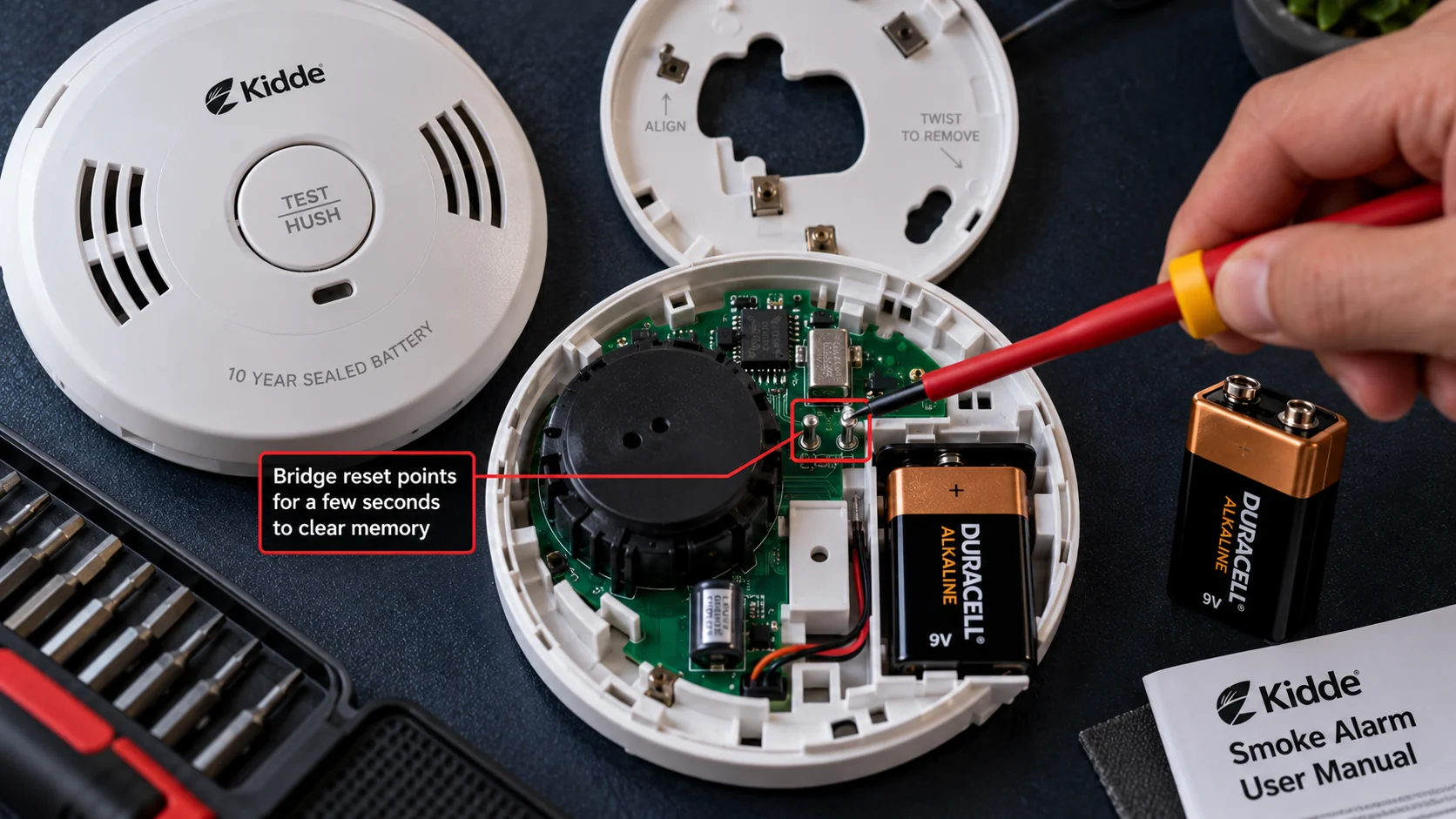
On hardwired 120V First Alert models, simply replacing the battery often does not stop chirping because internal filtering capacitors maintain the low-battery error register inside the microcontroller. Execute this full capacitor discharge sequence:
- Isolate Electrical Power: Turn off the circuit breaker controlling the smoke alarm circuit at your main electrical panel. Verify the green power LED on the alarm faceplate turns completely off.
- Dismount and Unplug: Twist the alarm counterclockwise from the ceiling mounting ring. Squeeze the side release latches on the 3-pin wiring harness and pull the connector straight out.
- Remove the Battery: Slide open the side-access battery drawer and remove the 9-volt or AA batteries.
- Drain Residual Board Charge: Press and hold the center Test / Silence button down firmly for 20 seconds. You will hear a short chirp as the electrolytic capacitors bleed their micro-coulomb charge to zero ground.
- Reinsert and Re-energize: Insert a brand-new industrial alkaline battery (Duracell Coppertop or Energizer Max). Ensure the battery is seated completely flat beneath the red lockout arm and push the drawer shut until it clicks flush. Plug the 3-pin harness back in, lock the unit onto the ceiling ring, and switch the circuit breaker back on.
The Red Mechanical Lockout Arm and Drawer Microswitch
Hardwired models such as the 9120B, 3120B, and 7010B utilize First Alert patented EZ Access side battery drawers. Inside this drawer sits a bright red spring-loaded plastic lockout lever.
If a battery is omitted or inserted backwards, this red lever stands upright, physically blocking the drawer from closing into the casing. Behind the drawer frame sits an internal safety microswitch. If a homeowner attempts to force the drawer shut over an improperly seated battery, the microswitch contacts remain open. The microprocessor detects an open circuit and emits a low-battery chirp once every 60 seconds. Always press the battery down firmly past the spring catch until the red lockout arm lays completely flat, allowing the drawer to slide smoothly and snap flush.
Troubleshooting First Alert 7010B and 9120B False Alarms
The First Alert 7010B (photoelectric) and 9120B (ionization) are widely installed by residential electrical contractors. Common false alarm causes include:
- Drywall and Construction Dust: The optical sensing maze in model 7010B is engineered to detect smoldering polyurethane foam fires rapidly. Fine drywall dust or pet dander scatters the infrared sensing beam, triggering full false alarms. Vacuum the 360-degree intake perimeter thoroughly.
- Orange Interconnect Wire Coupling: First Alert interconnect harnesses utilize an Orange conductor (whereas Kidde uses Red). If an unshielded orange wire runs inside conduits alongside heavy 120V AC wiring powering an air conditioner or refrigerator, inductive voltage spikes exceeding 4.5V DC will trigger intermittent 3-second false alarms across all interconnected alarms.
Identifying Initiating Alarms via Latching Red LEDs
When an interconnected First Alert system triggers an alarm while you are away from home, the unit that detected the combustion particulate activates an initiating alarm latch:
- Initiating Unit: The specific alarm that detected smoke continues to flash its red LED once every 5 seconds for up to 24 hours after the horn is silenced.
- Follower Units: Interconnected alarms that merely echoed the siren display a solid green LED with no flashing red light.
- Clearing the Latch: Press the Test / Silence button on the initiating unit to reset the latching red LED back to standard standby polling (flashing once every 60 seconds).
Deactivating Expired First Alert 10-Year Sealed Alarms
When 10-year sealed lithium models (such as the P1210, SM210, and PRC710) reach their 10-year service life, they emit 5 chirps per minute that cannot be silenced with a battery replacement.
To silence the alarm permanently before recycling:
- Dismount the unit from the ceiling bracket.
- Locate the deactivation switch on the back of the alarm casing, marked by a breakaway plastic tab.
- Insert a flathead screwdriver into the slot to break the safety seal and slide the deactivation switch completely to the OFF position.
- This mechanically cuts the internal lithium cell leads and discharges stored capacitors. The unit is permanently dead and ready for municipal electronic recycling.