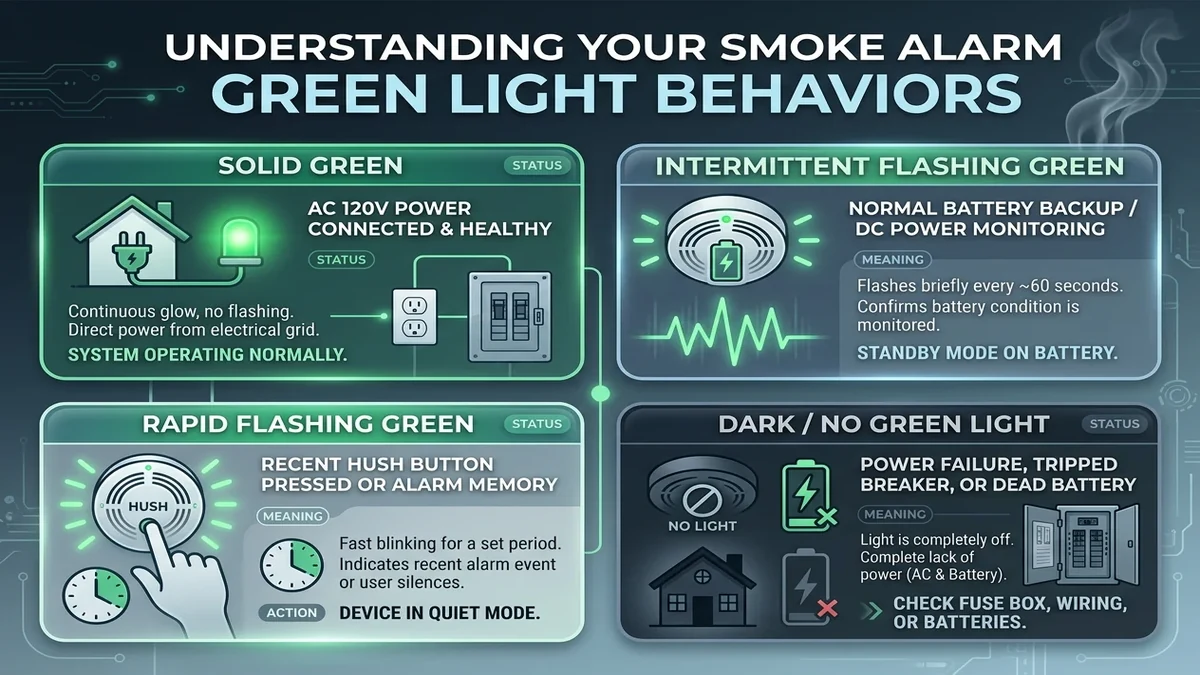
A solid or flashing green LED indicates that the smoke alarm is connected to active electrical power and operating normally. Understanding its flash rate confirms whether your alarm is receiving continuous electrical power.
Green LED Indicator Meaning Table
| Green LED Behavior | Brand & System Context | Operational Meaning |
|---|---|---|
| Solid Steady Green | Hardwired AC units (Kidde, First Alert, BRK) | Normal operating status: 120V/240V AC mains power is present and active |
| Blinks once every 40 to 60s | Battery-powered & smart alarms (e.g. Nest Protect, Kidde) | Normal standby heartbeat: Microprocessor is scanning air and battery voltage is healthy |
| Rapid Green Flashing | Kidde TruSense & First Alert series | Hush/Silence mode active, or alarm memory indicating a recent cleared smoke event |
| Green Light OFF | Hardwired AC units | No AC power: Tripped breaker, blown fuse, loose wire harness, or power outage |
What to Do if the Green Light is OFF on a Hardwired Alarm
- Check the main electrical service panel for a tripped smoke alarm or lighting circuit breaker. Reset the breaker.
- If the breaker is ON, detach the alarm and verify the 3-pin quick-connect plug is clicked firmly into the back.
- If other hardwired alarms on the same circuit have glowing green LEDs, the specific unit's internal power supply may have failed.